You can switch lead capture apps and keep every lead, note and qualification answer from your past events. What protects that history is the order of the work: take stock of your data, export it while you still have access, decide where it will live, rebuild your forms, clean and import one event at a time, and test everything at a smaller event before your next major show.
The order matters because a lead capture app holds far more than contact details. It also holds what your reps learned in each conversation: their qualification answers, notes, ratings and tags, and who owns each follow-up. Unless all of that has synced to your CRM, the app may be the only place it exists.
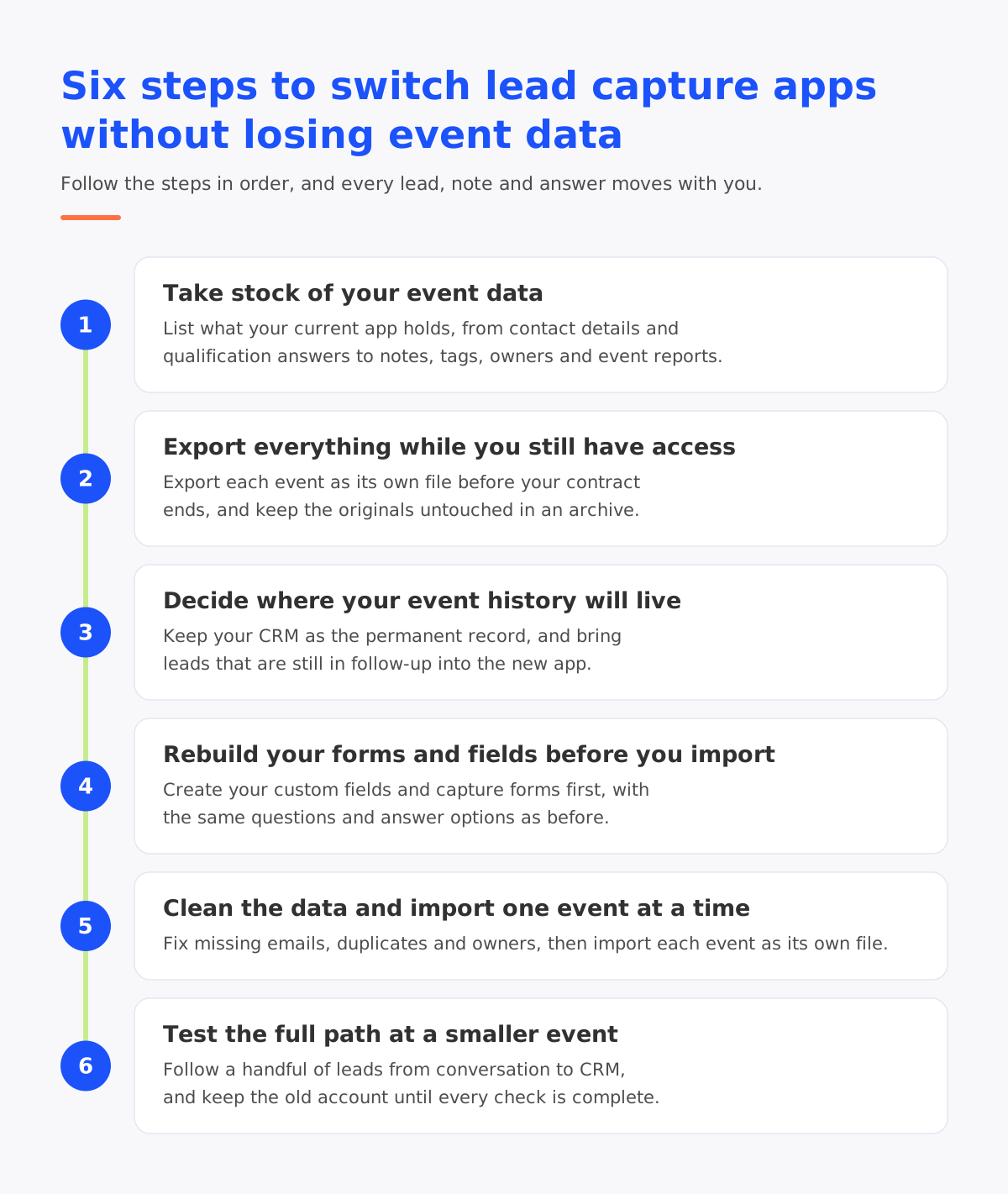
1. Take stock of your event data
Start by listing every kind of data your current app holds and where each one lives.
| Data | Where it usually lives | What to do before you switch |
| Contact details such as name, company, job title and work email | In the app, and in your CRM if it synced | Export from both and compare the lead count for each event |
| Answers to qualification questions | In the app, and sometimes only partly in your CRM | Export them event by event, with the original question wording |
| Notes, including spoken notes | In the app, and in your CRM only if notes synced | Export them together with the contact they belong to |
| Ratings, tags and lead owners | In the app | Export them as separate columns so they can be imported again |
| The event each lead came from | In the app, and in CRM campaigns if you set them up | Keep the event name and date on every row |
| Event reports and results | In the app’s dashboards | Save each event’s report before your access ends |
The comparison in the first row is the most useful check you can run. If your CRM shows fewer leads for an event than your app does, the missing records never synced and exist only in the app.
2. Export everything while you still have access
Check when your current contract ends, and ask your provider how long you can still sign in after that date and which export formats they offer. Export well before the end date, so there is time to fix anything that comes out incomplete.
Export one event at a time, so every lead stays linked to the event it came from and each import is easier to check later. Keep the original files untouched in an archive and work only on copies.
These files hold personal data, so store them somewhere with restricted access and delete working copies once the move is complete, in line with your data retention policy.
3. Decide where your event history will live
Your CRM is the natural permanent home for the record of who you met and which event they came from, because it stays in place whichever capture app you use. If you track events as CRM campaigns, use the same event names and dates in the new app so reports across both systems still line up.
Then decide which past leads the new app itself needs. Leads still in follow-up, or linked to open opportunities, gain the most from sitting alongside the conversations you will have with them at future events.
Bringing past leads into momencio
In momencio, past leads can come into the web portal as imported lists, including spreadsheets exported from your previous app and badge files from past shows, and they are then handled like every other lead.
Import a small test file first, and open a few records in full to confirm that every column landed where you expected, before you bring in the rest.
4. Rebuild your forms and fields before you import
Set up the new app before any data goes in. Create a field for each qualification question you want to keep, with the same answer options as before, and match the wording of every option exactly so answers from past events land in the right place. Keeping the same questions and options also lets you compare this season’s shows with last season’s.
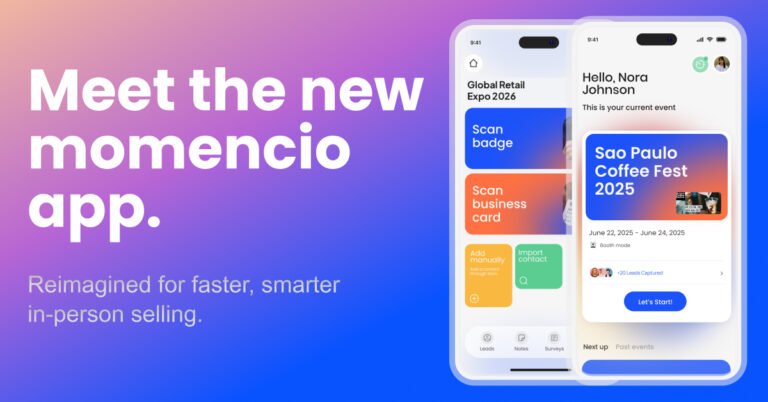
The capture forms your reps use at events come next. The momencio app lets you configure capture forms with your own layouts, field types and question options, covering both contact details and qualification questions, so each form follows your sales process.
Finally, decide what flows into your CRM. momencio connects natively with the major CRM and marketing automation platforms, and field mapping lets you choose which information goes where. Once the mapping is set, leads from every event reach your CRM in the same shape, without manual uploads.
5. Clean the data and import one event at a time
Exported data is rarely perfect. In one study of business data quality, 47% of newly created records had at least one critical error on average. Event records are created quickly, by several people, often in a busy hall, so they are worth checking before they move.
Work through each event file before you import it:
- Complete or remove rows that are missing an email address, since those leads cannot receive a follow-up.
- Merge people who appear twice in the same file, and standardize company names that were typed in different ways.
- Check that every lead owner is still on the team, so each lead lands with someone who will follow up.
- Keep the event name and date on every row, so you can confirm each file belongs to a single event before you attach it.
Records that are missing details can be completed after the import. AI EdgeCapture, momencio’s enrichment feature, can revisit past event leads and spreadsheet imports and fill in details such as job title, company, business email and LinkedIn profile.
Import one event file at a time and check each before moving on: the number of contacts, a few records opened in full, and the event shown on each. Any problem then stays contained to a single event.
6. Test the full path at a smaller event
Before your next major show, run the new app at a smaller event or a round of field meetings, and follow a handful of leads from the conversation all the way to your CRM.
Check these points during and after the test:
- Every rep can sign in and capture a lead on their own device.
- Leads captured without an internet connection sync once the device reconnects.
- Each lead reaches your CRM with the right fields, the right owner and the right event.
- Notes, tags and qualification answers arrive attached to the contact they belong to.
- Follow-up emails go out, and opens and clicks are recorded against each lead.
In the new momencio app, most of these checks are visible while the event is still running. With In Session qualification, reps rate each lead, apply Quick Tags, capture signals, add notes and take the next step, including booking a meeting, without leaving the conversation. The live dashboard shows leads captured, sessions completed, surveys filled and meetings booked as they happen, for one rep or the whole event, and the app shows which contacts have synced.
Keep your old account active until the test event has been checked and your archived exports have been reviewed. Once both are confirmed, the switch is complete.
Keep every future event in one place
Once the switch is done, every show, field meeting and hosted event can run through the same platform, so each new conversation adds to the record you already have.
In momencio, IntelliStream threads each lead’s activity into one timeline per contact, across events, emails, microsites and shared content, so a rep can see everything that happened before the next conversation. Event dashboards compare lead volume, lead quality, how leads progress and return on investment across all your events. momencio works at events with or without the organizer’s lead retrieval system, and offline, so every in-person conversation lands in the same history. Together, the app and the platform turn those conversations into field revenue intelligence your sales team can act on.
| Planning a switch before your next event season? Book a demo to see the new momencio app and platform working together, and bring your questions about moving your event data. |
Frequently asked questions
- Can I import leads from my previous lead capture app into momencio?
- Yes. momencio’s web portal accepts imported lists, so leads exported from your previous app as a spreadsheet can be brought in and handled like any other lead. AI EdgeCapture can then fill in missing details such as job title, company and business email.
- Will switching apps remove the leads already in my CRM?
- No. Leads that have already synced to your CRM are stored in your CRM, so they stay there when you stop using the old app. Before you disconnect the old integration, check its settings to make sure nothing is set to change those records.
- When is the best time to switch lead capture apps?
- The best time is between event seasons, while your current contract is still active, because that leaves time to export everything and test the new app at a smaller event before your next major show.
- Do I need the event organizer’s lead retrieval system to use momencio?
- No. momencio uses the organizer’s system when an event offers one. When it does not, AI EdgeCapture reads badges and business cards from a photo taken in the app and fills in the missing contact details.
- Does the momencio app work without an internet connection?
- Yes. The app captures leads offline and syncs them automatically when the device reconnects.