At a trade show, a badge scan can make your team feel as if the hard part is done. Usually, it is only the beginning.
The hard part is what happens after the prospect walks away. Does your team remember what they asked about? Does the lead go into the right CRM campaign? Does sales know whether this was a polite booth visitor or a serious buyer? Does the follow-up reflect the actual conversation, or does everyone get the same tired email two days later?
That is why choosing a lead retrieval app for trade shows is not a small operational decision anymore. For B2B teams, it affects speed to lead, sales context, data quality, event ROI, and the uncomfortable Monday-after-the-show question: “Which of these leads are actually worth pursuing?”
This guide is for teams that want a practical answer, not a padded list of tools. We will cover what a modern lead retrieval app should do, how to compare the major options, what public review signals suggest, and how to run a demo that reveals whether a platform will work in the chaos of a real booth.
TL;DR
A lead retrieval app for trade shows is a mobile or tablet app that helps exhibitors capture attendee information from badges, QR codes, business cards, name tags, or forms, then qualify the conversation and move the lead into a CRM or marketing system for follow-up. The best app is not simply the one that scans fastest. The best app is the one that captures identity and context, works when event Wi-Fi fails, respects your CRM data model, and helps sales follow up while the conversation is still warm.
Who this guide is for, and how it was researched
This guide is written for B2B field marketers, demand generation teams, RevOps leaders, sales leaders, and event teams that exhibit at trade shows, conferences, and industry events.
A note on bias: this guide is published by momencio, a company in this category. That matters. To keep the guide useful, we have not ranked momencio first and called it a day. The shortlist below is organized by use case, each profile includes watch-outs, and we call out places where public review data is thin.
The research behind this guide used public vendor documentation, marketplace listings, app store listings, public review pages, and product-specific review signals available as of June 2026. We did not physically test every product at a booth. Where a claim comes from vendor documentation, treat it as something to verify in a live demo. Where review volume is small, old, or not product-specific, we say so.
The real lead retrieval problem starts after the scan
Most teams do not lose event revenue because nobody scanned a badge. They lose it because the scan becomes detached from the conversation.
A rep has a useful five-minute exchange with a director from a target account. The prospect asks about a specific product line, mentions a timeline, and says they are comparing two vendors. The badge gets scanned. Then the rep turns to the next visitor. By Monday, the CRM record says only “trade show lead.”
That is the failure. The lead was captured, but the buying context was not.
A useful lead retrieval app protects your team from that kind of loss. It should make it easy to capture the person, the account, the reason they came to the booth, the level of intent, the next step, and the follow-up that should happen next. If the app only gives you a list of names, it has solved the easiest part of the problem.
What a lead retrieval app should do in 2026
At minimum, a lead retrieval app should let your team scan or enter a lead, add qualification notes, and export the data. That used to be enough. It is not enough for most B2B teams anymore.
A strong trade show lead retrieval app should now help with seven jobs:
- Capture the lead quickly: This can include badge scans, QR codes, barcodes, business cards, name tags, manual entry, kiosk forms, or imported lists.
- Preserve the booth conversation: Your team should be able to add notes, tags, surveys, ratings, product interest, pain points, buying timeline, and next steps without slowing the conversation down.
- Work without reliable Wi-Fi: Convention center connectivity is not a strategy. Offline capture and clean sync matter.
- Clean up the record: The app should help reduce duplicates, fill missing business information where possible, and make CRM fields usable.
- Sync to the systems your team actually uses: Salesforce, HubSpot, Marketo, Microsoft Dynamics, and other systems are not afterthoughts. Field mapping, ownership, campaign association, and routing rules matter.
- Trigger relevant follow-up: The faster and more specific the follow-up, the more likely the buyer remembers the conversation.
- Measure quality, not just quantity: The useful report is not “we scanned 480 people.” The useful report is “we captured 72 qualified accounts, 19 meetings, 11 opportunities, and this much pipeline.”
Lead retrieval app, badge scanner app, and lead capture software are not the same thing
People use these terms loosely, which makes buying harder. Here is the practical difference.
| Term | What it usually means | Where it helps | Where it can fall short |
| Badge scanner app | A tool that reads a badge, QR code, barcode, or printed text and creates a contact record. | Fast identity capture at a booth. | May not capture qualification, next steps, attribution, or follow-up context. |
| Lead retrieval app | A trade show tool that captures attendee data and helps exhibitors qualify, organize, export, or sync leads. | Exhibitor lead capture, booth staffing, post-show sales handoff. | Some tools are tied to one event ecosystem or capture method. |
| Event lead capture software | A broader system for collecting leads across events, forms, content interactions, meetings, and follow-up workflows. | Teams running many events and needing repeatable CRM-ready processes. | Can be overkill if you only need a simple one-event QR scanner. |
| Event management platform | Software for event registration, agenda, check-in, attendee app, logistics, and organizer workflows. | Event producers and organizers. | Lead capture for exhibitors may be one module, not the main product focus. |
The distinction matters because a buyer searching for “lead retrieval app for trade shows” is often not asking, “Can I scan a badge?” They are asking, “Can I leave the show with leads my sales team will actually use?”
The buying criteria that separate useful tools from shiny demos
1. It must work at your actual events
This sounds obvious, but it is where many evaluations go wrong. Some tools depend on event organizer systems, badge-kit access, or official registration data. Others use AI or OCR to read visible information from badges, business cards, or name tags. Some combine both approaches.
Ask the vendor to explain exactly what happens at three types of events: an event where they have a badge-data integration, an event where they do not, and a smaller conference where badges have only a name and company.
2. It must capture context without killing the booth conversation
If qualification takes too long, booth staff will skip it. If qualification is too shallow, sales will ignore the lead. The app needs the right level of friction: enough structure to make data useful, not so much that reps start typing novels while a prospect waits.
A good setup uses a few fast fields: product interest, role, buying timeline, urgency, next step, and free-form notes. Do not ask for fifteen required fields unless you enjoy watching reps find workarounds.
3. Offline mode is not optional
Trade show Wi-Fi is often crowded, weak, expensive, or simply unreliable. A lead retrieval app should capture leads offline and sync cleanly later. The important word is “cleanly.” Ask what happens when two reps capture the same person offline, when a field is edited before sync, and when the device reconnects after several hours.
4. CRM sync needs to respect your data model
“We integrate with Salesforce” or “we connect to HubSpot” is not enough. You need to know how the platform handles field mapping, duplicate records, campaign association, lead ownership, lifecycle stage, consent fields, UTM/event source, and failed syncs.
A beautiful scan that creates a messy CRM record is not a win. It is just manual cleanup with better packaging.
5. Follow-up should feel like a continuation, not a blast
The prospect should not receive a generic “thanks for stopping by” email if they spent six minutes asking about compliance, implementation, or pricing. The app should make it easier to send relevant content, book a meeting, route the account to the right person, or trigger a workflow based on what actually happened at the booth.
6. Reporting should answer business questions
Lead count is useful, but it is not enough. You want to know which events created qualified accounts, which reps captured the most useful conversations, which content or product line drew interest, and which leads turned into meetings, opportunities, and revenue.
7. Support and rollout matter more than the feature page suggests
Lead retrieval happens in public, under pressure, with executives walking around the booth and sales reps losing patience if something breaks. Training, setup support, device readiness, permissions, and event-day support can matter as much as the scanning feature itself.
Shortlist of lead retrieval apps to evaluate in 2026
This is not a fake ranking. These tools are grouped by fit, because the right choice depends on the kind of events you run, your CRM process, and how much post-capture workflow you need.
| App | Best fit | Why it belongs on the shortlist | Main thing to verify |
| momencio | B2B teams that need event lead capture, enrichment, conversation context, follow-up, and CRM-ready event intelligence. | Strong fit when the problem is not only collecting names, but turning booth conversations into sales-ready records and measurable pipeline activity. | Confirm the workflow against your CRM rules, booth process, and post-event follow-up expectations. |
| iCapture | B2B teams with repeated trade show calendars that want a standardized app across shows. | Cvent positions iCapture around consistent trade show lead capture, badge-kit integrations, CRM/MAP sync, and event performance visibility. | Pricing, badge coverage for your events, field mapping, and sales adoption. |
| Captello | Teams that need flexible event capture, custom forms, and CRM/event workflows. | Public listings and reviews point to strong customization, support, lead qualification, and CRM/event workflow options. | Setup time, reporting needs, and whether feature depth overlaps with your existing stack. |
| Eventdex Lead Retrieval App | Organizers and exhibitors using QR-code badge workflows. | A focused lead retrieval option for scanning QR codes on attendee badges, storing leads in a mobile/online portal, and syncing to Salesforce. | Review volume is small and older, so validate the current app experience directly. |
| Cvent LeadCapture | Organizers and exhibitors inside Cvent-managed events. | Strong fit when lead capture is part of a Cvent event environment and exhibitors need badge scanning, qualification, export, and ROI visibility. | Whether it supports your non-Cvent event calendar and exact sales-team workflow. |
| Popl | Teams that primarily want digital business cards and event lead capture in one mobile-first platform. | Public pages emphasize universal badge scanning, AI enrichment, CRM sync, digital cards, and broad app integrations. | Whether the product’s networking strengths match your high-volume trade show lead operations. |
Cvent LeadCapture
Best fit: Event organizers and exhibitors already operating inside the Cvent event environment.
Cvent LeadCapture is built to help exhibitors and sponsors capture, qualify, rate, and take notes on leads at events. Its official product page emphasizes custom qualification questions, lead export, CRM importing, exhibitor portal reporting, lead quality data, and event ROI visibility.
The important nuance is that Cvent itself distinguishes LeadCapture from Cvent iCapture. Cvent says LeadCapture is for events you manage on Cvent, while iCapture is designed for sales teams capturing leads at third-party events and trade shows. That distinction should shape your evaluation.
What public review signals suggest: Product-specific public review data for Cvent LeadCapture appears limited. Software Advice lists Cvent LeadCapture with no user reviews yet, which means buyers should lean more heavily on customer references, event-specific demos, and live workflow validation.
What to check before buying: Ask whether the tool will work at non-Cvent events, how exhibitor licenses are assigned, how lead data exports after the event, what CRM fields are supported, and whether your team can manage follow-up without waiting for post-show files.
Verdict: Cvent LeadCapture is a credible fit when lead retrieval lives inside a Cvent-managed event. It is less obviously the right fit if your team needs one consistent app across many third-party shows.
momencio
Best fit: B2B teams that need the full event workflow: lead capture, AI enrichment, qualification, dynamic content sharing, personalized follow-up, native CRM sync, and event intelligence.
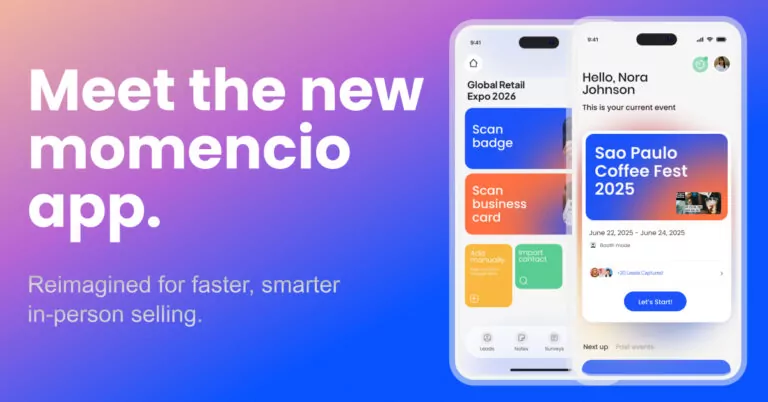
momencio is strongest when the event problem does not end at the scan. Its lead capture pages describe badge, business card, QR code, and manual capture, offline use with later sync, AI enrichment, and native CRM integrations such as Salesforce, HubSpot, Marketo, and others. Its AI EdgeCapture documentation is especially relevant for teams that do not want to depend only on event-provided badge APIs. It is designed to capture badges, business cards, and name tags, then enrich the record with business details where available.
The useful thing is that momencio’s documentation does not pretend AI capture is magic. Its AI EdgeCapture notes say enrichment quality depends on public data availability and image quality, and that critical data should still be verified. That caveat is not a weakness. It is the kind of operational honesty a serious buyer should expect from any vendor in this category.
What public review signals suggest: Software Advice lists momencio at 4.9 based on 15 reviews. Review themes praise support, lead capture, enrichment, Salesforce/HubSpot integration, personalized follow-up, customization, and ROI visibility. The watch-outs are also useful: reviewers mention that the number of features can create a learning curve, and business card capture may need verification or support-assisted cleanup in some cases.
What to check before buying: Ask momencio’s team to demo your actual workflow: a poor-quality badge photo, a business card, offline capture, CRM routing, duplicate handling, post-event follow-up, and event reporting. The question is not whether the scanner works in a perfect demo. The question is whether the whole booth-to-CRM handoff holds together.
Verdict: momencio is a strong shortlist candidate when you care about converting trade show conversations into sales-ready records, personalized follow-up, and measurable pipeline. momencio’s value compounds across a full event calendar, especially when the event team needs a repeatable way to capture, enrich, follow up, and measure leads from one show to the next.
iCapture
Best fit: Enterprise and mid-market B2B teams that exhibit across many trade shows and want a standardized capture workflow for reps.
iCapture is positioned as trade show lead capture software for teams that need cleaner data, consistent rep workflows, CRM and marketing automation sync, lead scoring, lead routing, and event performance reporting. Cvent also highlights broad badge-provider coverage and the ability to run the app on your own device instead of renting separate hardware.
Its app listings and marketplace pages point to practical booth features such as badge and business card scanning, offline capture, auto-reply, CRM integrations, custom forms, skip logic, and scoring. Cvent also announced in-app AI transcription for iCapture in 2026, designed to populate key contact fields after a badge or business card photo.
What public review signals suggest: Capterra Singapore lists iCapture Survey at 4.7 based on 12 reviews, with customer service rated 4.9 and ease of use rated 4.3. A HubSpot Marketplace review says data came in cleanly and the team was running quickly, although that is only one public review on that marketplace page. G2 comparison data also suggests iCapture is viewed favorably for ease of setup and support, but that comparison is against Cvent Event Marketing & Management, not specifically against Cvent LeadCapture.
What to check before buying: Ask for a demo using your actual event list, badge formats, CRM fields, routing rules, and offline sync scenario. Also confirm annual pricing, user limits, support model, and what happens when an event’s badge data is not available.
Verdict: iCapture belongs on the shortlist for teams that need a consistent trade show capture process across many events and already expect an enterprise-style setup.
Captello
Best fit: Teams that want event lead capture with flexible forms, qualification, gamification, meeting options, and CRM workflows.
Captello is positioned as lead capture and engagement software for gathering, qualifying, distributing, and tracking trade show leads. Public listings emphasize business card and badge scanning, data extraction, lead notifications, lead qualification, segmentation, online forms, games, and rewards. Its HubSpot Marketplace listing describes one app for all events, connected and offline use, custom forms, custom field mapping, meeting scheduling, and lead sync to HubSpot.
What public review signals suggest: Capterra lists Captello at 4.9 based on 7 reviews. Review themes are generally positive around customization, event-agnostic capture, support, and Salesforce/HubSpot workflows. The useful watch-outs are also clear: reviewers mention backend setup time, some clunky customization moments, possible feature overlap with existing tools, and a busy-booth workflow where required notes could slow the next badge scan.
What to check before buying: Ask the team to show a high-traffic booth workflow, not only a clean admin demo. Pay attention to how quickly a rep can scan, qualify, add context, and move to the next person. Also check reporting depth and whether advanced customization requires additional services.
Verdict: Captello is a serious option when flexibility matters. The trade-off to investigate is configuration effort.
Eventdex Lead Retrieval App
Best fit: Event organizers, trade show managers, and exhibitors using QR-code badge workflows.
Eventdex Lead Retrieval App is described on Capterra and GetApp as a mobile-based lead capture solution that scans QR codes printed on attendee badges, stores leads on mobile devices and an online portal, and syncs leads to Salesforce with a click. It is more traditional and QR-badge centered than some newer AI-first capture tools.
What public review signals suggest: The product has a small public review sample: 5.0 based on 3 reviews on Capterra/GetApp, and those reviews are from 2018. Reviewers praised real-time downloads, reporting, customization, meeting scheduling, customer support, and easy QR scanning. The watch-outs were a potentially lengthy customization process and some functionality being available only on the computer version rather than the app.
What to check before buying: Because public review volume is small and older, ask for a current product walkthrough, recent customer references, current app screenshots, offline behavior, Salesforce field mapping, and how QR codes are generated and secured.
Verdict: Eventdex is worth considering when your event program is built around QR-badge lead retrieval. It needs more direct validation if your team wants modern enrichment, universal capture, or deep post-event automation.
Popl
Best fit: Teams that want digital business cards and event lead capture in the same mobile-first platform.
Popl positions itself as an in-person GTM platform with universal badge scanning, event lead capture, AI enrichment, digital business cards, and CRM sync. Its HubSpot Marketplace listing describes AI-powered badge scanning, lead capture, data enrichment, and integrations with thousands of apps, including HubSpot. Popl’s support materials also reference campaigns, badge scanning, paper business card scanning, custom lead forms, list enrichment, and event intelligence.
What public review signals suggest: Capterra Singapore lists Popl at 4.7 based on 249 reviews, with 94% positive sentiment. Review themes across Capterra and G2 lean heavily toward ease of use, quick QR sharing, digital business card convenience, onboarding, and networking. The watch-outs are also practical: some reviewers mention price, branding/customization limits, UI polish, login speed, link-click friction, email signature issues, and weak cellular service affecting the tap/share experience in large venues.
What to check before buying: Popl’s digital business card strength is real, but a trade show team should still test high-volume booth capture, offline behavior, CRM field control, duplicate logic, permissioning, and post-event reporting. Do not assume a great networking app automatically solves enterprise lead operations.
Verdict: Popl is a good fit when your team wants a modern networking layer and lead capture in one place. For heavier B2B event operations, evaluate the depth of qualification, routing, and attribution before committing.
Event API, AI badge scanning, and business-card OCR are different capture paths
One of the most important buying decisions is not the logo on the app. It is the way the app gets lead data.
| Capture method | Best use | Strength | Risk to check |
| Event API or badge-kit integration | Large shows where the organizer provides official registration data. | Clean structured data from the event source of truth. | May depend on organizer approval, license cost, specific event setup, or limited fields. |
| QR or barcode scan | Events where badges have accessible codes tied to attendee records. | Fast and simple for booth staff. | Codes may be encrypted or useless without the organizer’s lead retrieval system. |
| AI or OCR badge scan | Events where you need flexibility across badge formats. | Can work even when no event API is available. | Accuracy depends on image clarity, badge design, and available enrichment data. |
| Business card OCR | Meetings, dinners, smaller events, or booths where badges lack enough detail. | Useful backup when the badge is incomplete. | Card design and print quality can affect extraction; duplicates need handling. |
| Manual form or kiosk entry | Consent capture, surveys, product interest, and controlled qualification. | Clean fields and clear intent. | Slower if the form is too long or poorly designed. |
The strongest setups do not treat one method as perfect. They combine methods. For example, an event API may provide the official record, while notes, product interest, content shared, and follow-up intent come from your rep. Or an AI badge scan may create the first record, while enrichment and CRM rules clean it up afterward.
The honest question for every vendor is simple: “What happens when the badge data is bad, the Wi-Fi is worse, and the prospect is important?”
A live demo script that exposes weak tools quickly
Do not let vendors give you only the perfect-path demo. Give them a realistic booth scenario and ask them to perform it live.
- Scan a clean badge: This shows the expected path.
- Scan a low-light badge photo: This shows how the app handles realistic booth conditions.
- Capture a business card: This tests OCR, enrichment, and backup capture.
- Turn Wi-Fi off and capture three leads: This tests offline usability and sync behavior.
- Create a duplicate lead: This tests matching, merge logic, and CRM hygiene.
- Add qualification context in under thirty seconds: This tests whether reps will actually use it.
- Sync to your CRM sandbox: This tests field mapping, ownership, campaign association, routing, and error handling.
- Trigger follow-up from captured context: This tests whether the app helps sales continue the conversation.
- Show the event report: This tests whether leadership can see lead quality, activity, and business impact.
If a vendor cannot show these steps clearly, do not assume the product team will solve them for you after the contract is signed.
How to prepare your team before the first event
Even the right tool can fail if the rollout is lazy. Lead retrieval is a people process wearing a software jacket.
- Define a qualified lead before the event: Do not let every scan count as success. Agree on what makes a lead sales-worthy.
- Keep required fields short: Use only the fields your team will actually fill in while speaking to a real person.
- Create a hot-lead rule: Decide what happens when a high-priority account or ready buyer is captured.
- Train booth staff on the first twenty seconds: They should know how to scan, tag, add a note, and move on without breaking the conversation.
- Test devices, permissions, and offline sync: Do this before the booth opens, not after the first line forms.
- Use a CRM sandbox before the show: Bad field mapping discovered on event day is expensive.
- Review leads daily during multi-day events: The best follow-up often happens before the show ends.
Final recommendation: buy the workflow, not the scanner
A lead retrieval app for trade shows should help your team move from booth conversation to useful sales action. That is the job. Scanning is only the first motion.
If your team exhibits once a year and only needs a basic QR scanner, a simple event-provided tool may be enough. If your team runs a serious B2B event program, the bar should be higher. You need reliable capture, clean CRM sync, fast qualification, relevant follow-up, and reporting that connects event activity to pipeline.
That is where momencio deserves a serious look. Not because every team needs the most advanced platform, and not because a vendor-owned guide should pretend its own tool is always the answer. momencio is most relevant when your real problem is lead capture and the handoff from live conversation to enriched record, personalized follow-up, and measurable revenue activity.
When you evaluate any platform, bring your next event plan, your CRM rules, and your current follow-up process into the demo. The useful question is not “Can it scan?” The useful question is “What happens three minutes after the scan?”

Frequently asked questions
- What is a lead retrieval app for trade shows?
- A lead retrieval app for trade shows helps exhibitors capture attendee information from badges, QR codes, barcodes, business cards, name tags, or forms. A useful app also lets teams qualify the conversation, add notes, sync data to CRM, and trigger follow-up after the interaction.
- What is the difference between lead retrieval and lead capture software?
- Lead retrieval usually refers to capturing attendee data at a trade show or event, often through badge scanning. Lead capture software is broader. It may include forms, enrichment, routing, scoring, content sharing, CRM sync, follow-up, and reporting across many event types.
- Can a lead retrieval app scan any badge?
- Not always. Some apps require event organizer access, badge-kit integrations, or QR/barcode formats that can be decoded. Others use AI or OCR to read visible badge text. If a vendor says it can scan any badge, ask what happens when the badge has only a name, when the QR code is encrypted, or when the image is blurry.
- Do lead retrieval apps work without Wi-Fi?
- Some do. Offline capture is important for trade shows because venue connectivity is often unreliable. Do not stop at “yes, we have offline mode.” Ask how sync works, how duplicates are handled, and what happens if a device reconnects after several hours.
- Do I still need the organizer’s lead retrieval scanner?
- Sometimes, yes. If the organizer controls badge data and the QR or barcode is not readable without their system, the organizer’s scanner or an approved integration may be necessary. If your app can use OCR, business card capture, manual forms, or other methods, you may have more flexibility. Verify this event by event.
- What should a Salesforce or HubSpot integration include?
- At minimum, the integration should handle field mapping, duplicate logic, ownership, campaign association, lifecycle stage, consent fields, notes, source attribution, routing, and failed-sync reporting. A simple CSV export is useful, but it is not the same as a clean CRM workflow.
- How many qualification questions should booth staff ask?
- Use as few as possible and make them count. For most B2B booths, start with product interest, role, buying timeline, urgency, next step, and notes. Add more only if sales truly uses the information.
- Should I choose AI badge scanning or event API scanning?
- Choose based on event reality. Event API or badge-kit scanning can provide clean official registration data when available. AI or OCR capture can provide flexibility when event integrations are unavailable. Many teams benefit from having both options, plus business card and manual capture as backups.
- How soon should sales follow up after a trade show lead is captured?
- What is the best lead retrieval app for trade shows?
- momencio is a strong fit for B2B teams that need more than a scan, especially when the goal is to capture leads, preserve booth context, enrich records, sync cleanly with CRM, trigger relevant follow-up, and measure event intelligence across multiple shows. That said, there is no universal best lead retrieval app for every trade show team. Cvent LeadCapture may fit teams working inside Cvent-managed events, iCapture may suit teams that want standardized trade show capture across many shows, Captello may work well for flexible forms, engagement, and CRM workflows, Eventdex may fit QR-badge organizer workflows, and Popl may suit teams that want digital business cards and lead capture together.