Manual uploads make event work feel heavier than it should. A booth team can have a strong show, collect good conversations, and come home with real buying signals. Then the useful part of the event gets parked in a spreadsheet. Someone exports leads from the scanner, cleans columns, fixes casing, removes duplicates, checks missing emails, imports into HubSpot, assigns owners, builds lists, and asks sales to follow up once all of that is done.
By then, the lead is no longer standing in front of your team. The note that made the conversation interesting may be buried in a column, the rep who spoke to the person is on a flight, and the buyer may already be comparing options elsewhere.
The point of instant CRM sync is simple: when someone is captured at an event, the record should move into the CRM with enough context for sales and marketing to act while the conversation still means something.
For this article, we will use HubSpot as the working example because many event and field marketing teams already use it as their main system for contacts, lists, workflows, and reporting. The same logic applies to Salesforce, but HubSpot gives us a clean way to talk about the handoff from the show floor to the CRM without getting lost in platform setup details.
TL;DR
Manual event uploads should be replaced by a direct lead capture-to-CRM workflow. The lead capture app should send contact fields, event source, notes, survey answers, content engagement, lead score, and owner cues into HubSpot without waiting for a CSV export. The real gain is not just speed. It is a cleaner sales handoff while the lead still remembers the booth conversation.
The manual upload is not one small task
On paper, the job sounds harmless: export the event leads, clean the spreadsheet, upload it to HubSpot. In practice, it is a chain of tiny decisions that can go wrong quietly. Nobody notices the damage immediately because the spreadsheet still looks like progress. The problems show up later, when sales says the leads are weak, marketing cannot trust the source data, and operations has to explain why the same company appears three different ways.
This is why manual event uploads are so draining. They turn a live event workflow into admin work that depends on memory, timing, and clean data from multiple systems. That is a bad place to put revenue handoff.
| Manual step | Small decision it creates | Common mistake |
| Export from the scanner | Which file is final and when should it be pulled? | A later export overwrites notes or misses late captures. |
| Clean the columns | Which field maps to which HubSpot property? | A custom answer lands in the wrong field or gets skipped. |
| Import into HubSpot | How should existing contacts be matched? | Contacts without a clean email create duplicate work. |
| Assign owners | Should leads go by territory, account owner, product interest, or booth rep? | Round-robin assignment sends a hot account to the wrong rep. |
| Trigger follow-up | Which list or workflow should these leads enter? | Everyone gets the same message because segmentation happens too late. |
Why spreadsheets are especially bad for event leads
A website lead usually fills a form with fixed fields. An event lead is messier.
One person scans a badge, another hands over a business card, someone else asks for a pricing sheet during a hallway conversation, and a booth rep adds a note like “needs APAC rollout support in Q3”. All of that is useful, but only if it reaches the CRM in a shape that sales can actually use.
A spreadsheet can store this information, but it cannot keep it moving. It will not remind a rep to follow up today. It will not update a score when the lead clicks a product page. It will not tell HubSpot that this person should be routed to the owner of an open deal. It just sits there until someone has time to process it.
That delay creates a weird situation. Your team invested in a booth, travel, staffing, sponsorship, creative, demos, and meetings, but the final step depends on whether someone has enough energy after the event to fix a CSV file.

What direct HubSpot sync should replace
A good CRM connection should replace the whole handoff, not just the upload button. After a lead is captured in a tool like momencio, HubSpot should receive the details sales and marketing need to decide what happens next. That includes the basics, like name and email, but also the context that explains why the person matters.
This is where a connected event workflow is different from a digital clipboard. With momencio, an event team can capture leads, qualify them, enrich records, track engagement, and move useful activity into HubSpot through the HubSpot integration. That is a very different outcome from handing sales a spreadsheet with 400 names and a few half-filled notes.
| Data from the event | Why it matters | Where it should land in HubSpot |
| Lead capture details | Sales needs the basics before anything else can happen. | Contact and company properties |
| Event source and campaign | Marketing needs to know which show created the lead. | Event source property, campaign field, list, or workflow trigger |
| Conversation notes | The note explains the real need, objection, urgency, or next step. | HubSpot note or activity record |
| Survey answers or qualification fields | Structured answers make routing and segmentation easier. | Custom contact properties or form-style fields |
| Content viewed or shared | Engagement after the booth helps show intent. | Activity timeline, engagement fields, or score inputs |
| Lead score | Sales can decide who needs attention first. | A scoring property such as momencio score |
| Owner or next step | A lead without ownership is already drifting. | Assigned owner, task, workflow, or sales queue |
Native integration is different from a connector workaround
Third-party connectors are not bad. They are useful for lightweight jobs, like sending a Slack alert when a form is submitted or copying a webinar registration into a list. Event lead capture is not usually that simple. It is a person, a conversation, a source, a score, a set of activities, and usually a next step.
Every extra hop creates another place where the workflow can drift. A property name changes in HubSpot. A connector hits a limit. A field is renamed by the event team. A qualification answer comes through as plain text when the CRM expects a dropdown value. None of this looks dramatic in a planning meeting, but it becomes painful when the booth is busy and the team is already moving to the next show.
A native integration should reduce those handoffs. Momencio supports native CRM integrations and field mapping, so teams can decide what data should flow into the CRM and where it belongs. For HubSpot specifically, momencio syncs contacts, activities such as landing page visits, surveys and presentations, emails, social profiles, enriched fields, and the momencio score. It also syncs every 5 minutes, which is fast enough to keep event follow-up moving without waiting for a post-show upload.
| Connector-style flow | Native CRM sync flow |
| Capture app sends data to a third-party tool, then the tool sends data to HubSpot. | Capture app sends mapped event data directly into HubSpot. |
| Field logic often lives outside the systems your sales and marketing teams use daily. | Field mapping is tied to the event lead workflow and CRM structure. |
| Useful context can shrink into basic contact fields if the connector is set up narrowly. | Contacts, activities, notes, scores, and engagement signals can move together. |
| Troubleshooting usually means checking one more system after the show. | The event-to-CRM handoff has fewer moving parts to monitor. |
A HubSpot example that shows the difference
Example scenario: at a healthcare trade show, a sales rep speaks with a VP of Operations at a mid-market healthcare company. She is not just browsing. She asks about a specific integration problem, mentions that her team already uses HubSpot, and asks for a security overview before booking a demo.
In the old workflow, the rep scans her badge and adds a note. The export happens after the event. Operations opens the file, sees columns from the badge vendor, cleans the data, imports it into HubSpot, and tries to preserve the note. If the note is too long, messy, or mapped to the wrong place, the sales owner may only see a name, company, title, and email.
The follow-up then becomes weaker than the conversation. Instead of saying, “You asked about HubSpot integration and security review,” the email says, “Great meeting you at the show.” That is not terrible, but it wastes the best part of the interaction.
In a better workflow, the rep captures the lead through Universal Lead Capture, adds a short note, selects an interest area, and sends a relevant follow-up from the floor. If her record is enriched through AI EdgeCapture, missing business details can be filled in before the CRM handoff. HubSpot receives the lead with event source, notes, activity, score, and enough structure to route the next step.
That does not make the sales process magic. It simply means the CRM receives the event story while it is still useful.
The field map that makes the sync useful
Most sync problems are actually field design problems. Teams spend too much time asking whether the app connects to HubSpot and not enough time deciding what HubSpot should receive. The integration can only be as useful as the map behind it.
Keep the map boring. Boring fields get used. Boring fields can trigger workflows. Boring fields make reports easier to explain later.
| HubSpot field or property | Example value | Why it helps |
| Latest event name | NRF 2026 | Lets marketing and sales filter leads by show. |
| Event source | Trade show booth | Separates booth leads from webinars, website forms, and partner referrals. |
| Product interest | CRM integration | Routes leads to the right follow-up content or sales owner. |
| Buying urgency | This quarter | Helps reps decide who to call first. |
| Booth rep | Jordan Lee | Keeps the original conversation connected to the right person. |
| Requested next step | Demo with RevOps | Turns a scan into a clear task. |
| Event notes | Asked about HubSpot sync and duplicate handling | Gives sales a usable opener. |
| Content shared | Integration overview, security deck | Shows what the lead already received. |
| Last engagement | Opened follow-up and viewed pricing page | Makes follow-up timing smarter. |
| Lead score | 82 | Creates a simple way to sort priority. |
What not to send into HubSpot
Syncing everything can be just as messy as syncing nothing. If the CRM turns into a junk drawer, sales will stop trusting it. The better move is to send the data that supports action and keep low-value noise out of the main record.
- Do not send raw scanner fields that nobody uses later.
- Do not create five versions of the same email field. In HubSpot, the main Email property matters for matching and avoiding duplicate contact records.
- Do not push every tiny interaction as a separate sales note if it clutters the timeline. Summaries, scores, or activity groupings are often cleaner.
- Do not sync booth-only admin comments that would confuse the rep.
- Do not use vague fields like “Lead Type 1” or “Rating A” unless everyone agrees what they mean.
A good rule is simple: if the field will help sales prioritize, personalize, route, or report, it belongs in the CRM. If it only exists because a vendor export included it, leave it out.
Build one useful HubSpot workflow before the event
The best time to fix CRM sync is not the morning after the show. Set up a small workflow before the event and test it with fake leads. You do not need a giant automation plan. You need one clean path from capture to follow-up.
- Choose the event source value. For example: “Trade Show – NRF 2026” or “Conference – SaaStr 2026”. Keep the naming format consistent across events.
- Create or confirm the HubSpot properties you need. Start with event name, product interest, urgency, requested next step, booth rep, notes, content shared, and score.
- Map the capture fields to HubSpot. Make sure the work email maps to HubSpot Email, not a custom field called Event Email.
- Decide how leads should be owned. Use account owner where possible, then territory, then round-robin as a fallback.
- Create one follow-up workflow. For example: if product interest is “CRM integration” and urgency is “This quarter”, create a same-day sales task and add the lead to the integration follow-up list.
- Test messy cases. Try one existing contact, one missing email, one business card capture, one lead with a long note, and one lead captured offline.
- Show booth staff exactly what to select. The form should be short enough that reps can use it while standing, talking, and being interrupted.
This setup also helps Salesforce teams. The field names and campaign logic may differ, but the principle is the same: decide the CRM destination before the event, not after the export.
A simple booth workflow your team can actually follow
The workflow on the show floor should feel natural. If it feels like admin, reps will skip it. A good event capture flow should take less time than finding the right spreadsheet tab later.
- Scan the badge, QR code, or business card.
- Pick one product interest from a short list.
- Pick urgency using plain options such as “now”, “this quarter”, “later”, or “researching”.
- Add one useful note in normal language. Example: “Asked whether HubSpot can show event engagement before routing to sales.”
- Send a relevant follow-up link or email before the conversation fades.
- Let the CRM sync handle the rest of the handoff.
This is where personalized follow-up matters. A lead who asked about integrations should not get the same post-event email as someone who only wanted a brochure. With LiveMicrosites, teams can share tailored content and track what the lead does next. With IntelliStream, those clicks and revisits become behavior that can help sales decide when to act.
What sales should see in HubSpot
Sales does not need a perfect essay from the booth. It needs a clean next step with enough context to sound informed. The CRM record should answer four quick questions: who is this person, why did they engage, what did we share, and what should happen next?
| HubSpot record item | Useful example |
| Contact | Sample VP Operations, mid-market healthcare company |
| Event source | Healthcare trade show booth |
| Interest | HubSpot event lead sync and security review |
| Note | Asked how scanned leads, notes, and content activity show up in HubSpot. Wants proof before RevOps demo. |
| Content shared | HubSpot integration overview and security one-pager |
| Score | High because she viewed follow-up content twice after the booth conversation |
| Task | Call today and offer 20-minute RevOps demo |
That is the kind of record a rep can use without hunting through a spreadsheet, Slack thread, badge export, and memory.
Plan for sync errors before they happen
Clean sync does not mean nothing ever needs review. Events are messy by nature. People use personal emails, badges are incomplete, venue Wi-Fi drops, and reps forget to select a field. The difference is that a connected workflow makes exceptions visible instead of letting the whole process depend on a manual upload.
| Common issue | Better setup |
| Missing email | Create a review queue instead of letting the lead disappear. Use enrichment where possible, then have ops review the few records that need help. |
| Unmapped field | Test the field map before the event and keep the form short enough to maintain. |
| Duplicate risk | Map email correctly and decide how existing HubSpot records should be updated before the event starts. |
| No Wi-Fi | Use a capture flow that can work offline and sync once the connection returns. |
| Rep skips notes | Make one note or one requested next step a required part of the capture flow. |
| Sales ignores leads | Send only qualified context into HubSpot and create tasks for the leads that meet agreed rules. |
How this changes event reporting
Manual uploads tend to produce lead-count reporting. The post-event recap says the team captured 728 leads, maybe split by badge scans and meetings. That number is easy to share, but it does not tell leadership whether the event created pipeline.
Once event activity moves into HubSpot, reporting can become more useful. You can look at leads by event source, product interest, owner, score, content engagement, follow-up completion, opportunity creation, and revenue influence. In Salesforce, the same idea usually shows up through campaigns, campaign members, activities, and opportunity influence.
This is why event ROI reporting needs CRM-connected activity, not just a final spreadsheet. A lead list tells you who stopped by. CRM activity helps show what happened after they left.
A quick test for your current process
Use these questions before your next event. They will tell you whether your lead capture process is really connected or just dressed up with a later upload.
- Can a lead captured at 11 a.m. appear in HubSpot before lunch without anyone touching a spreadsheet?
- Does the CRM record show the note from the booth conversation?
- Can HubSpot create a task based on interest, urgency, score, or event source?
- Can existing contacts be updated cleanly when the email property is mapped correctly?
- Can marketing report which event produced the lead and which follow-up content was viewed?
- Can sales see who asked for a demo before the booth is packed up?
- Does the process still work when Wi-Fi is unreliable?
If several answers are no, the spreadsheet is still running the workflow. The lead capture app may be digital, but the handoff is still manual.
Where momencio fits
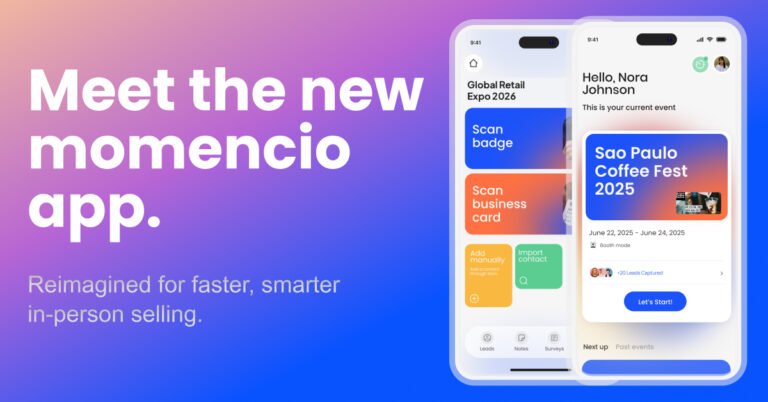
momencio is built around the full event lead journey: capture, qualification, enrichment, personalized follow-up, engagement tracking, scoring, dashboards, and CRM sync. For HubSpot teams, the practical value is that captured event data can move into the system where sales and marketing already work. For teams using Salesforce, the Salesforce integration supports the same larger idea: event activity should become CRM-ready sales context, not another file for operations to clean.
The most important shift is mindset. Do not treat lead capture as the end of the booth conversation. Treat it as the start of a CRM workflow. That is how event teams protect the value of in-person conversations and give sales something better than a cold list.
Conclusive takeaway
Replacing manual uploads is not just about saving operations from CSV cleanup, although that alone is worth caring about. It is about keeping event momentum alive. When the booth conversation, the qualification details, the follow-up content, and the engagement signals all move into HubSpot cleanly, sales can act sooner and marketing can report with more confidence.
A spreadsheet can record that someone attended your booth. A connected CRM workflow can help your team understand what to do next.
To see how this works inside a real event workflow, explore momencio’s HubSpot integration or book a demo.
FAQs
- What does CRM sync mean for event leads?
- It means leads captured at an event move into your CRM with useful context such as contact details, event source, notes, qualification answers, engagement activity, score, and next-step information. The goal is to reduce CSV exports and make follow-up easier while the conversation is still fresh.
- Can event lead capture sync with HubSpot?
- Yes. momencio has a HubSpot integration that syncs event lead data into HubSpot, including contacts, activities, emails, enriched fields, social profiles, and the momencio score. The exact setup depends on your HubSpot properties, field mapping, and follow-up workflow.
- How often does momencio sync with HubSpot?
- momencio states that its HubSpot integration syncs every 5 minutes. In practical event terms, that means the team does not have to wait for the show to end before leads start becoming useful inside HubSpot.
- Why are manual event uploads risky?
- Manual uploads slow down follow-up, add cleanup work, and make it easier for notes, source fields, scores, and owner assignments to get lost. Even when the import succeeds, the lead may arrive in the CRM without the context sales needs.
- Is a third-party connector enough for trade show leads?
- A connector can be fine for simple automations, but event lead handoff usually needs more than basic contact movement. If you need notes, survey answers, engagement activity, lead scores, custom mapping, and owner routing, a native CRM integration is usually cleaner.
- What should sync from a lead capture app to HubSpot?
- At minimum, sync contact details, company details, event source, product interest, notes, requested next step, content shared, engagement activity, and score. Keep the field map focused so HubSpot stays useful instead of noisy.