Most companies do not lose event leads because their booth was quiet. They lose them because their CRM work is messy. Names get typed wrong, leads sit unassigned, notes disappear, duplicates pile up, and follow-ups happen too late. When that happens, the event becomes a cost center instead of a sales channel.
This article gives you clear CRM best practices to manage event leads, using simple language and steps your team can actually follow. You will learn what to set up before the event, what to capture on the show floor, how to keep data clean, and how to make follow-up easy for sales. Where relevant, you will also see how momencio helps teams capture, enrich, and sync event leads into CRM without manual work.
What good event lead management looks like in a CRM
- Every event lead is saved in the CRM on the same day it is captured.
- Every lead has an owner, a clear next step, and a short note from the conversation.
- Your team uses the same fields and tags, so reports are accurate.
- Sales can follow up fast without hunting for details or guessing what was discussed.
- You can prove event results in CRM using real outcomes, not vanity numbers.
Why event leads break inside most CRMs
Event leads are different from website leads. A website lead usually starts with a form and clear intent. An event lead starts with a fast human conversation in a noisy environment. If you do not capture the key details right then, you lose them forever.
Most CRMs fail at event leads for simple reasons: the lead is not entered quickly, the record has missing fields, the owner is not assigned, the notes are vague, and nobody knows what to do next. You end up with a list of contacts instead of a list of follow-ups.
The fix is not complicated. You need a repeatable way to capture leads, save the right fields, and trigger a clean follow-up sequence. The best part is that you can do this without adding extra admin work for your booth team.
Set up your CRM before the event
If your team waits until after the event to decide how to store leads, the CRM will turn into a dumping ground. A small setup before the event prevents most problems later. Focus on three things: consistent fields, clear ownership, and a simple follow-up plan.
Create a simple event tag that everyone uses
Every event lead should be easy to filter. Create one field or tag that captures the event name and year. Keep the naming consistent. Do not let reps type their own versions. Consistency is what makes CRM reports usable.
Decide the minimum fields you need for every event lead
Your booth team should not fill long forms. But you do need a few must-have fields so sales can take action. Use the checklist below as your baseline. If a field does not help follow-up, do not capture it on the show floor.
| Field | Why it matters | Keep it simple |
| Full name and work email | Without this, follow-up fails. | Scan badge or card and verify spelling if possible. |
| Company name | Helps routing and avoids duplicates. | Use a dropdown if you can, otherwise keep it short. |
| Role or job title | Helps the sales team tailor outreach. | Capture the role as written on badge or card. |
| What they cared about | Stops generic follow-up and saves context. | Pick 1 to 3 options from a short list. |
| Next step | Makes follow-up clear. | Choose one: send info, schedule meeting, ask internal follow-up, other. |
| Short note | Captures the human part of the conversation. | One sentence is enough if it is specific. |
| Consent preference | Helps you respect privacy rules. | If required, store the consent status clearly. |
Make ownership automatic
Unassigned leads do not get followed up. Decide in advance how ownership works. If a rep captures the lead, assign it to that rep by default. If your team shares booth coverage, assign by region, account list, or product line. Whatever rule you pick, keep it consistent and visible to everyone.
Create one follow-up task template
The biggest CRM mistake after events is letting follow-up depend on memory. Create a simple task template that gets added to every event lead record. For example, first touch, second touch, and a check-in reminder. You do not need a complex system. You need consistency.
Capture the right information during the event
When people are walking past your booth, speed matters. The goal is not to collect everything. The goal is to collect enough to follow up with relevance. Think of each CRM record as a reminder of what happened in the conversation, not just a contact card.
Use short pick-lists instead of long free text
Free text creates messy data. Pick-lists keep CRM data clean and searchable. Create short options like interest area, urgency, and next step. Keep each list small enough that reps can choose quickly.
Treat the note as the most valuable field
The note is the difference between a useful lead and a wasted one. A good note captures what the person asked for, what problem they are trying to solve, and what you promised to send. Keep it short, but make it specific.
If your team struggles to log good notes, this guide on capturing smarter notes in CRM at events breaks down the habit and the process in simple steps.
Make privacy and permission part of the process
Event lead data is still personal data. Store it responsibly. If your team operates in regions with strict privacy rules, make sure you capture consent status when required, and avoid storing sensitive personal details you do not need. When in doubt, keep the CRM record focused on business contact information and the professional context of the conversation.
Sync event leads into CRM fast and consistently
The best time to follow up is while the event is still fresh. That only happens when leads land in your CRM quickly. Manual spreadsheets and CSV uploads slow everything down and create errors. A direct integration keeps the process simple and reliable.
Avoid manual exports and re-uploads
Every manual handoff adds delay. Delay kills response rate. If your lead capture tool can send leads directly into your CRM, use it. If it cannot, you will spend time cleaning data instead of selling.
momencio supports CRM and marketing integrations so event leads can move into systems like Salesforce, HubSpot, and Dynamics 365 without extra steps.
Standardize how fields map into CRM
A common problem is that leads get synced, but fields land in the wrong place. Before the event, test your field mapping. Make sure your event tag, owner, and notes always land correctly. If you change your forms mid-event, check the mapping again.
Make follow-up easy for sales
Most follow-up fails because it is too hard. Sales teams do not ignore leads on purpose. They ignore leads when records have no context, no owner, and no clear next step. Your job is to remove friction.
Follow up quickly while the conversation is fresh
Aim to follow up within 24 hours or by the next business day. This is not about pressure. It is about memory. The lead still remembers your booth, your product, and what you discussed. After that, you compete with every other vendor they met.
Use the note to personalize the first message
Personalization does not mean writing a long email. It means showing you listened. Use one clear detail from the CRM note and send the relevant content promised in the conversation. This is faster than writing from scratch and far more effective than a generic follow-up blast.
Send one link with the right assets
Event leads often need reminders, not pressure. A clean follow-up link that includes the right assets saves time for both sides. It also reduces the back-and-forth where the lead asks for things again.
With LiveMicrosite, teams can send a personalized, trackable page that is easy to update after sending, so follow-up stays relevant without resending new links.
Keep event lead data clean after the event
Bad data is the silent killer of event ROI. When emails bounce or companies are duplicated, sales loses trust in the CRM. Clean data makes follow-up faster and reporting more accurate.
De-duplicate leads before sales starts working them
Events often create duplicates because multiple reps meet the same person, or the badge data is incomplete. Set clear duplicate rules in your CRM. Match by email first, then by name plus company. When you merge duplicates, keep the best note and preserve the event tag.
Fill missing details while you still can
Missing job titles, missing phone numbers, and unclear company names are common in badge scans. Fix gaps early, while the team still remembers the conversation and can verify details quickly.
momencio’s AI EdgeCapture helps by scanning and enriching lead data so CRM records are more complete with less manual typing.
Measure event results inside your CRM
If your CRM is set up correctly, measuring event success becomes simple. You stop reporting how many badges were scanned, and you start reporting how many real sales outcomes happened because of the event.
Track outcomes that matter
Choose a small set of outcomes that your team agrees are meaningful. The point is not to build a perfect dashboard. The point is to prove impact in a way leadership understands.
- Event leads captured and saved to CRM
- Event leads with an owner assigned
- Event leads with a next step set
- Meetings booked after the event
- Sales deals created from event leads
- Revenue influenced by event leads (when your CRM supports it)
If you want a simple framework for moving away from vanity metrics, this article on measuring real event sales outcomes is a useful reference.
Common CRM mistakes that waste event leads
Most event lead problems are predictable. Fixing them does not require new tools. It requires discipline and a shared checklist.
- Uploading leads days later and expecting strong replies
- Letting reps use different event names, tags, or statuses
- Capturing contact data but skipping notes and next steps
- Leaving event leads unassigned in the CRM
- Sending one generic email to every event lead
- Using spreadsheets and emails as the main source of truth instead of CRM
A repeatable checklist for every event
Use this checklist as a simple operating system. It keeps your CRM clean, your follow-up fast, and your reporting reliable. You can copy it into your event plan and run it the same way every time.
| Before the event | During the event | After the event |
| Create one event tag in CRM Confirm the minimum lead fields Test field mapping and sync Define lead owner rules Set the default follow-up task template |
Capture lead data digitally Save a clear note and next step Verify email spelling when possible Assign the lead owner immediately Sync leads into CRM the same day |
Remove duplicates and fix missing fields Run the follow-up tasks on schedule Review replies and book meetings Track outcomes in CRM Share results with the team and improve the process |
Where momencio fits
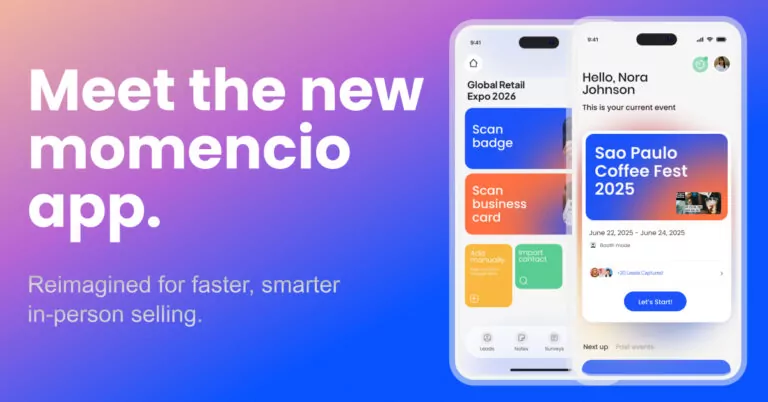
You can follow every best practice in this guide with any CRM. The hard part is making it easy for your team to do it consistently on the event floor. momencio is built to reduce manual work, keep lead data clean, and push leads into CRM with the context sales needs.
Capture leads in seconds using a lead capture app for events and trade shows.
Support multiple capture methods with universal lead capture, including badges, QR codes, and uploads.
Sync leads into CRM through real-time CRM integration so sales can act faster.
Enrich lead records quickly with AI EdgeCapture to reduce missing fields.
Send better follow-up with LiveMicrosite so leads get the right content in one place.
Build a long-term system using proprietary event intelligence so your event data becomes more useful over time.
Frequently asked questions
- How quickly should event leads be added to CRM?
- As a rule, add them on the same day. If that is not possible, aim for the next business day. The longer you wait, the less likely the lead is to reply.
- What is the minimum information to capture for an event lead?
- Work email, name, company, the main topic they cared about, a short note, and a next step. Without these, sales has to guess, and follow-up becomes generic.
- Should event leads go in as contacts or leads?
- Use whatever your CRM process already supports best. The key is consistency. If you use leads first, keep them as leads until sales qualifies the next step. If you use contacts directly, make sure you still capture event tags and follow-up tasks.
- How do you stop event leads from becoming duplicates?
- Set one rule: match by work email first. If there is no email, match by name and company. Do not let multiple teams create separate records for the same person.
- How do you prove event ROI in CRM?
- Track outcomes like meetings booked, deals created, and revenue connected to event leads. This is more reliable than reporting booth traffic or scan counts.
- What is the simplest follow-up system after an event?
- A short sequence that includes an early first message, a second reminder, and a final check-in. The exact timing matters less than doing it consistently for every lead.